Google Play listing kit
Every field the Play Console asks for, in the order it asks. Use Copy on each value and paste it straight into the Console. Character counts are checked against Play's limits.
Release status
- DoneSigned release bundle
fluenced-release-v2.aab(versionCode 2, versionName 1.0.1), signed with thefluencedupload key. - DonePrivacy policy live at /privacy.
- DoneAccount deletion inside the app (Account > Delete account) and on the web at /delete-account.
- DoneLauncher icon, adaptive icon and splash screen replaced (the build used to ship the default Capacitor icon).
- DoneUI styles and icons are bundled in the app. It no longer needs a CDN to render, so first launch works offline.
- DoneTranslate and voice backend fixed. Both were returning HTTP 502.
- To doPlay Console: upload the AAB to Internal testing and turn on Play App Signing. Then check that the magic-link sign-in reopens the app on a Play-signed install.
- To doPersonal developer accounts need a closed test with 12+ opted-in testers for 14 days in a row before Play allows a production release.
Main store listing
App namemax 30
Fluenced: Learn 21 Languages
Short descriptionmax 80
Speak like a local in 21 languages. Native audio, 5 new phrases a day.
Full descriptionmax 4000
Fluenced teaches the phrases people actually use, in 21 languages, with native-speaker audio and a pronunciation guide written for English speakers.
Pick a language, then a level:
• Charm: greetings and the small lines that make people smile.
• Survive: ordering food, asking directions, shopping, getting help.
• Master: longer sentences for real conversations.
THREE WAYS TO LEARN
• Today's 5: five fresh phrases a day, short enough for a coffee break.
• Flashcards: reveal, listen, then mark Again or Got it. Spaced repetition brings each card back just before you would forget it.
• Browse: every phrase grouped by topic, with audio and search.
HEAR IT, THEN SAY IT
Every phrase has natural audio. Tap once to play it, tap again to hear it at half speed. Each line comes with a simple respelling, like "OH-lah" for Hola, so you read the sound and not just the spelling.
TRANSLATE ANYTHING
Type any sentence, pick any two languages and get a translation with pronunciation and audio. Save the lines you want to keep and replay them later.
LEARN OFFLINE
Download a language's audio before a trip. Lessons, flashcards and saved phrases keep working without a connection.
YOUR PROGRESS ON EVERY DEVICE
Use Fluenced without an account, or sign in with your email to sync progress and saved phrases across devices. You can delete your account from inside the app at any time.
LANGUAGES
French, Spanish, German, Italian, Portuguese, Dutch, Japanese, Mandarin Chinese, Korean, Hindi, Arabic, Russian, Turkish, Polish, Swedish, Greek, Thai, Vietnamese, Indonesian, Hebrew and Marathi.
No ads. Light and dark themes.
Graphics
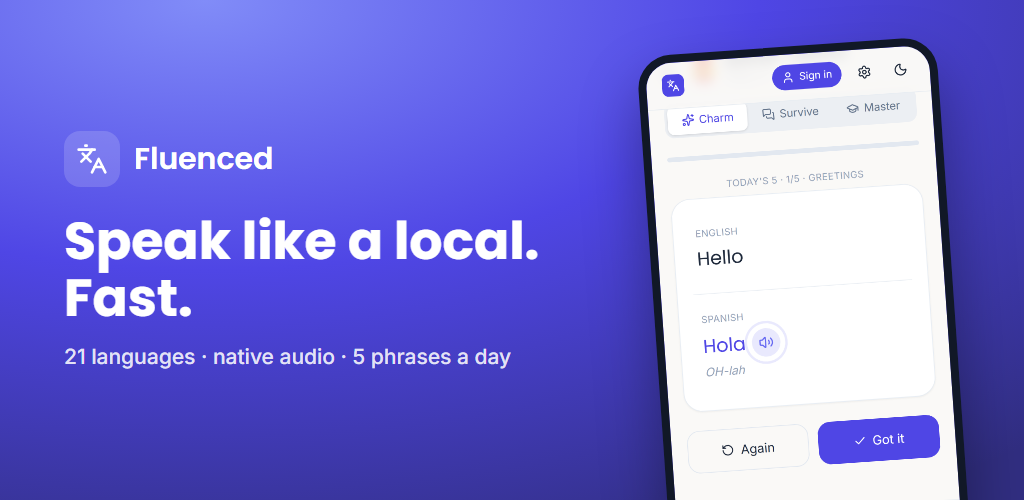
Store settings
App or game
App
Category
Education
Tags (up to 5)
Language learning, Education, Translator, Flashcards, Travel
Contact email
fluenced.admin@zapware.xyz
Website
https://fluenced.zapware.xyz
Phone
Leave blank (optional)
Default language
English (United Kingdom) – en-GB
Package name
app.fluenced (permanent)Price
Free. No in-app products in this build. Do not mention premium plans in the listing until billing ships.
Countries
All countries and regions
App content (Policy > App content)
Privacy policy URL
https://publish-fluenced.pages.dev/privacy
Ads
No, the app does not contain ads
App access
All functionality is available without special access. Sign-in is optional and only adds cloud sync.
Target audience
Ages 13–15, 16–17 and 18+. Do not tick under-13 groups: that puts the app under the Families policy, which the current SDK set has not been checked against.
Appeals to children?
No
News app
No
Government app
No
Financial features
None
Health features
None
COVID-19 tracing
Not a contact tracing or status app
Account deletion URL
https://publish-fluenced.pages.dev/delete-account
Content rating questionnaire
Email
fluenced.admin@zapware.xyz
Category
Reference, News, or Educational
Violence, fear, sexuality, language, drugs, gambling
No to every question
Users interact or exchange content
No. Saved phrases are private to the user's own account.
Shares user location
No
Digital purchases
No
Unrestricted internet / web browser
No
Expected rating
Everyone / PEGI 3 / USK 0
Data safety form
Collects or shares required data types?
Yes
Encrypted in transit?
Yes (HTTPS only)
Users can request deletion?
Yes, in the app and at the deletion URL above
Data shared with third parties
None. Supabase (database), the Zapware translation server and its AI model provider act as service providers, which Play does not count as sharing.
| Data type | Collected | Optional? | Purpose / notes |
|---|---|---|---|
| Personal info › Email address | Yes, not shared | Optional | Account management, App functionality. Only when the user signs in. |
| Personal info › User IDs | Yes, not shared | Optional | Account management. Internal account ID created at sign-in. |
| App activity › App interactions | Yes, not shared | Optional | App functionality. Learning progress synced for signed-in users. |
| App activity › Other user-generated content | Yes, not shared | Optional | App functionality. Saved phrases (synced when signed in). Text typed into Translate is sent for translation and processed ephemerally, not stored: tick "processed ephemerally". |
| Location, contacts, photos, audio recordings, device IDs, financial, health, messages, calendar, web history, crash logs, diagnostics | No | – | Not collected. No analytics or advertising SDKs. |
Release
Bundle
D:\PyFlask Utilities\Fluenced\Build.AAB\fluenced-release-v2.aabNot hosted here on purpose: upload it from the local folder.
Version
versionCode 2 · versionName 1.0.1 · minSdk 24 (Android 7.0) · targetSdk 36
Release name
1.0.1
Release notes (en-GB)max 500
<en-GB>
First release of Fluenced: 21 languages with native audio, Today's 5, flashcards with spaced repetition, Translate Anything, offline audio downloads and optional account sync.
</en-GB>
Permissions declared
INTERNET only. No sensitive permissions, so no permission declaration forms.
Console order of work
- Dashboard › Set up your app: fill the App content forms from this page.
- Store presence › Main store listing: paste the copy and upload the graphics.
- Testing › Internal testing: create a release, upload the AAB, accept Play App Signing, add your own Google account, install from the opt-in link.
- On that install, sign in with a magic link and confirm the email link reopens the app.
- Testing › Closed testing: same AAB, add a Google Group with 12+ testers, keep it running 14 days.
- Dashboard › Apply for production, then roll out the release to Production.